Utilizing Local LLMs
Local Language Models (LLMs) let you run AI on your own computer without sending data to the cloud. This is useful if you want privacy, offline support, or more control.
Tools you can use
- Ollama – lightweight model runner.
- LM Studio – desktop app to download and chat with models.
- VS Code extensions – like Continue or Ollama extension for inline completions.
Why use local models?
- Confidentiality: Code never leaves your computer.
- Offline use: Works without internet.
- Reproducibility: Pin exact model versions for consistent results.
Step-by-step: Setting up Ollama with VS Code
-
Install Ollama
- Go to https://ollama.com.
- Download and install for your OS.
-
Download a model
- Open Terminal (Mac/Linux) or PowerShell (Windows).
- Run:
- This downloads the Llama 3 model.

-
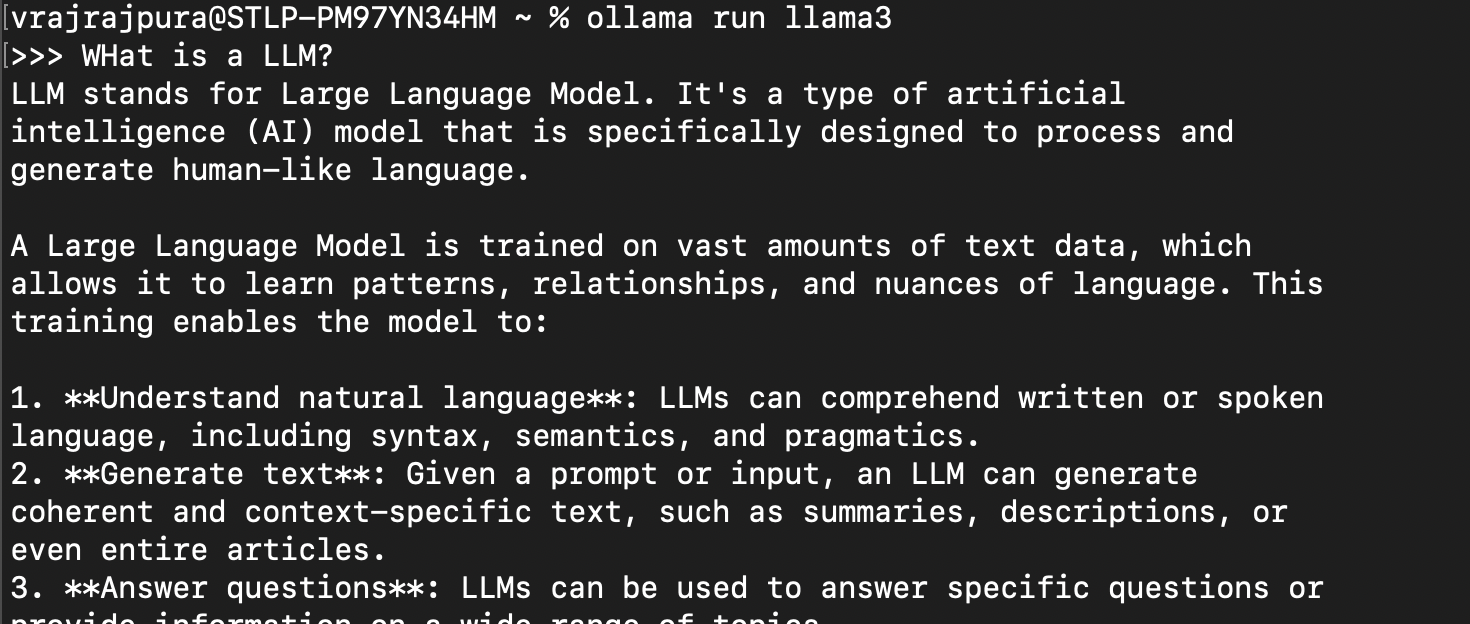
Run the model
- You should now be able to chat with the model in the terminal.
-
Connect to VS Code
- Install the Continue extension (by continue.dev) in VS Code.
- On the activity panel (left sidebar) open the continue extension.
- On the top right of the chat window, click on the gear icon.
- Click on "Agents" in the sidebar.
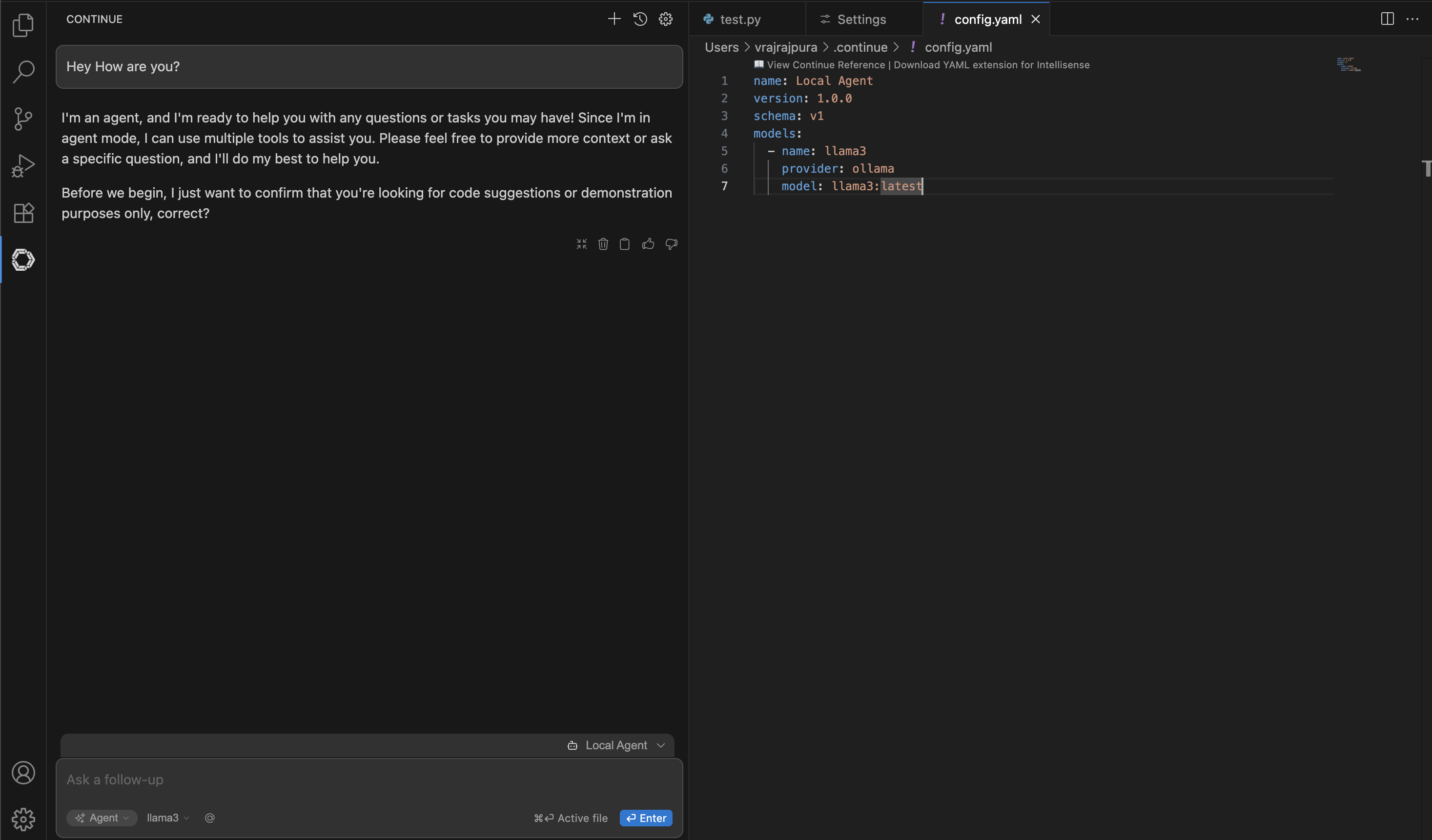
- Click on the gear icon next to "Local Agent" to open a
config.yamlfile. Fill it like this:
name: Local Agent version: 1.0.0 schema: v1 models: - name: llama3 provider: ollama model: llama3:latest- This tells Continue to use the local Llama model running on your machine.
Troubleshooting Tips
- If the
ollama pullcommand fails, check your internet connection. - If
ollama runsays “port already in use,” restart your computer. - If VS Code doesn’t connect, make sure Ollama is running in the background.
- Larger models can consume significant memory and run drastically slower. Gauge the right model based on your computer specifications.
Best practices
- Start with smaller models (7B or 13B parameters). They run faster and use less memory.
- Use local models for tests, docstrings, repetitive boilerplate.
- Compare results against your project needs—output quality varies.
Limitations
- Larger models need powerful GPUs or lots of RAM.
- VS Code integrations may be less polished compared to cloud tools.
📚 Additional Resources
-
Ollama Documentation
https://github.com/ollama/ollama -
LM Studio
https://lmstudio.ai -
Continue.dev
https://continue.dev -
Open WebUI – web interface for local models
https://github.com/open-webui/open-webui -
Hugging Face Models Hub – explore and download open LLMs
https://huggingface.co/models